How to log In or Register for Meeting Hub
Logging In to Meeting Hub for the First Time
To access Meeting Hub, enter your organisation's Meeting Hub URL into your web browser and select Log In / Sign Up.
If you already have an account, enter your email address and password to log in. If you're using Meeting Hub for the first time and don't have an account, select Sign Up to register.
Registering for the First Time
Watch the video below for a quick guide to registering as a Meeting Hub user.
Alternatively, follow the steps below.
Select
Log In / Sign Up from your organisation's Meeting Hub booking page.
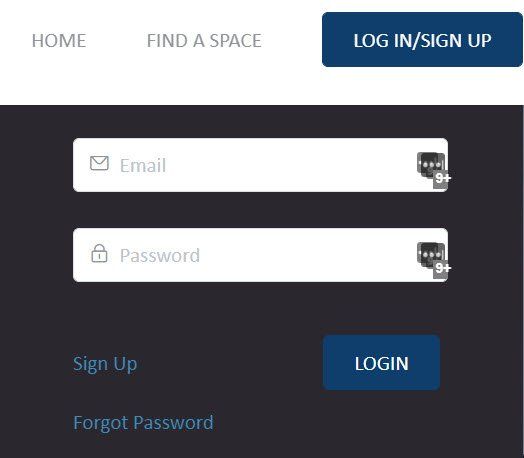
Select Sign Up and complete the registration form. Fields marked with an asterisk (*) are required.

After You Log In
Once logged in, select Welcome to access your account options. Depending on your permissions, you may see:
- My Details: View and update your details and access "Your" bookings and "Company" Bookings
- My Meeting Hub: Open the Meeting Hub Dashboard and access the Administrator Menu.
- Log Out: securely end your current Meeting Hub session.

Accessing the Administrator Menu
Admin Users can use the Administrator Menu to manage their organisation's settings, spaces and bookings.
If you regularly use the Administrator Menu, you can create a shortcut for quicker access: Create an Admin Menu Bookmark (Shortcut)
Need Help?
Most pages within Meeting Hub include a Need Support option in the top-right corner. Select it to access Knowledge Base help relevant to the page you're viewing.